Microsoft 365 administration often involves a strange gap between knowing what you need and knowing where to get it done.
Which Microsoft 365 groups don’t have owners?
Assign an owner to a Microsoft 365 group.
The requirements are simple. Getting it done may not be.
You might move between the Microsoft 365 admin center, Entra admin center, and other portals, search through different reports, or turn to Microsoft Graph and PowerShell.
This is where natural language administration can make a difference.
What is AdminDroid AI Assistant for M365?
AdminDroid AI Assistant for M365 is a free, source-available community tool from AdminDroid that lets you manage Microsoft 365 using plain English. You can ask it to find information, analyze results, or perform supported management tasks without manually building Graph queries.
For example:
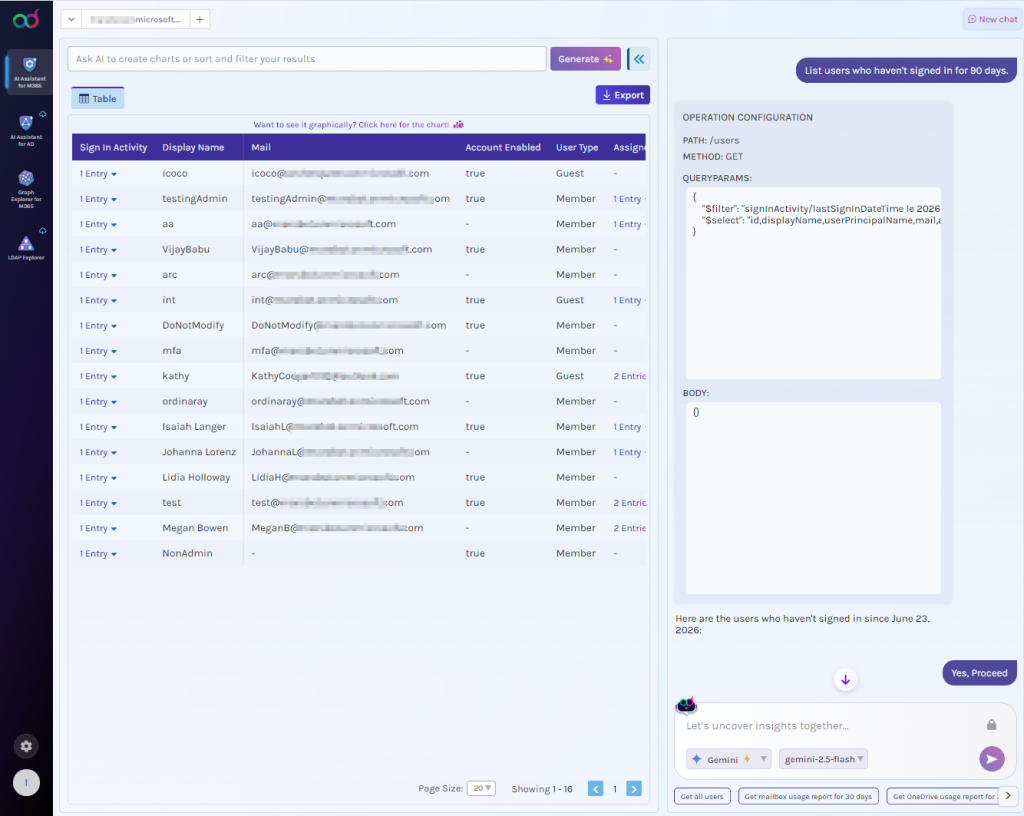
List users who haven’t signed in for 90 days.
The assistant generates the corresponding Graph query, which you can review before it runs. Once approved, the query executes against your Microsoft 365 tenant, and the results are returned in a table format.
The same workflow applies to management tasks.
Create a user [email protected].
If the prompt doesn’t provide all the information required to complete the task, the assistant asks follow-up questions to gather the required details. Once it has the necessary information, it prepares the required query and lets you review and confirm it before making the change.
At a high level, the workflow is:
Ask –> Generate –> Review –> Execute –> Get results
This approach is particularly useful for admins who understand Microsoft 365 administration but don’t want to write a custom Graph query or PowerShell script for every ad-hoc requirement.
How Does the Assistant Keep M365 Administration Secure?
Using an AI tool to administer Microsoft 365 naturally raises important questions:
- Does AI process my organization data?
- Can the AI provider see sensitive information in my prompt?
- Does the assistant require more privileges than the task needs?
- Can it make changes without my knowledge?
The AdminDroid AI Assistant addresses these concerns through a security-focused design.
1. Keep Tenant Data Processing Within Your Environment
The AI provider’s role is to help understand your request and generate the required Microsoft Graph query. The query is then executed locally against your Microsoft 365 tenant, and the tenant data returned by the query stays within your environment.
2. Mask Sensitive Information Before It Reaches AI
For organization-specific information that isn’t automatically detected, you can manually request masking by enclosing the value in double quotes.
We’ll look at how this masking works, including automatic and manual masking, in more detail later.
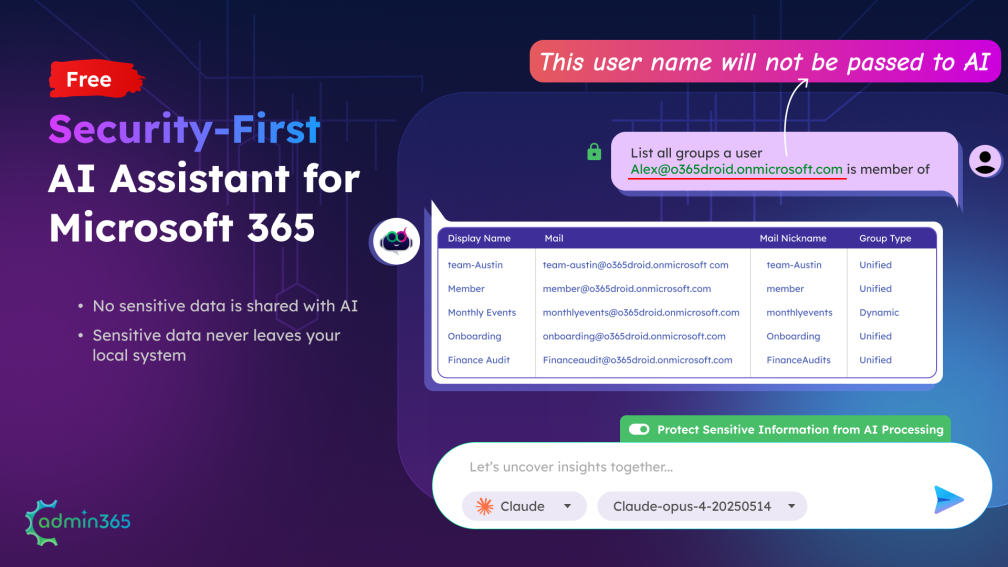
Not every detail in an admin request needs to be visible to an AI provider. The assistant automatically masks supported sensitive information before sending the request to AI. This includes UPNs, email addresses, IP addresses, phone numbers, credit card numbers, dates, and postal codes.
3. Review What Will Run Before It Changes Your Tenant
Before execution, you can review the generated query and verify that it matches your requirement. The assistant waits for your confirmation before running it, giving you a clear checkpoint to validate the requested operation before it runs against your tenant.
4. Request Only the Graph Permissions the Task Requires
The assistant uses dynamic consent for Microsoft Graph permissions. Rather than requesting every possible permission upfront, the required permissions can be requested based on the operation you’re performing.
This keeps the access request tied to the task instead of giving the assistant unnecessary permissions.
Together, these controls help you stay in control of what is shared with AI, what runs in your tenant, and what permissions the assistant uses.
How Sensitive Data Masking Works in AdminDroid AI Assistant
Consider a request with no sensitive information:
List all SharePoint sites
There is no sensitive value in the request, so it can be sent to the AI provider to generate the appropriate Graph query.
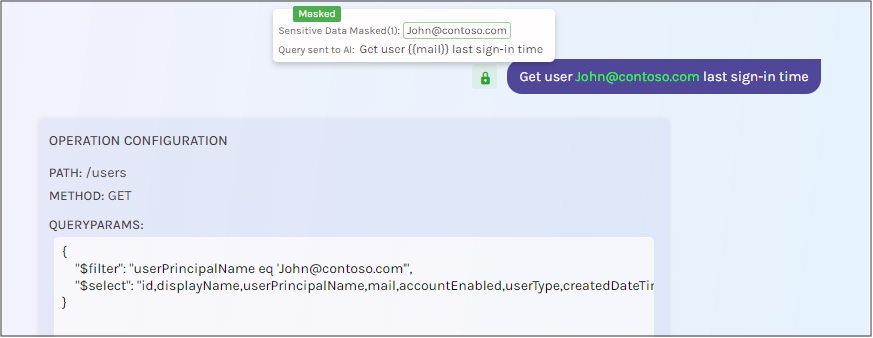
Now consider: Get user [email protected] last sign-in time.
The UPN is sensitive information. The assistant masks it before sending the request to the AI provider, replacing it with a placeholder. When the generated query comes back, the assistant can restore the required value locally before executing the query against your tenant.
You can also protect organization-specific information yourself.
For example: Create a Microsoft 365 group “SecretMission” and add [email protected] and [email protected]
By enclosing “SecretMission” in double quotes, you indicate that the value should be masked before the request is sent to the AI provider.

This gives you two layers of control: automatic masking for supported sensitive information and manual masking for organization-specific information.
How Does the AdminDroid AI Assistant Process Your Request Securely?
When you enter a request, the AdminDroid AI Assistant follows a defined process to understand what you need and turn it into an actionable Microsoft 365 operation. Security controls are applied throughout the process, from handling your request to executing it in your tenant. Here’s how it works:
- You describe your requirement in plain English.
- Sensitive information is masked according to the assistant’s masking rules.
- The masked request is sent to your selected AI provider, which generates the required Microsoft Graph query.
- You review and confirm the generated query.
- It executes locally against your Microsoft 365 tenant.
- The results are displayed in a structured format such as a table or chart.
- You can continue the conversation to filter, sort, or visualize the results.
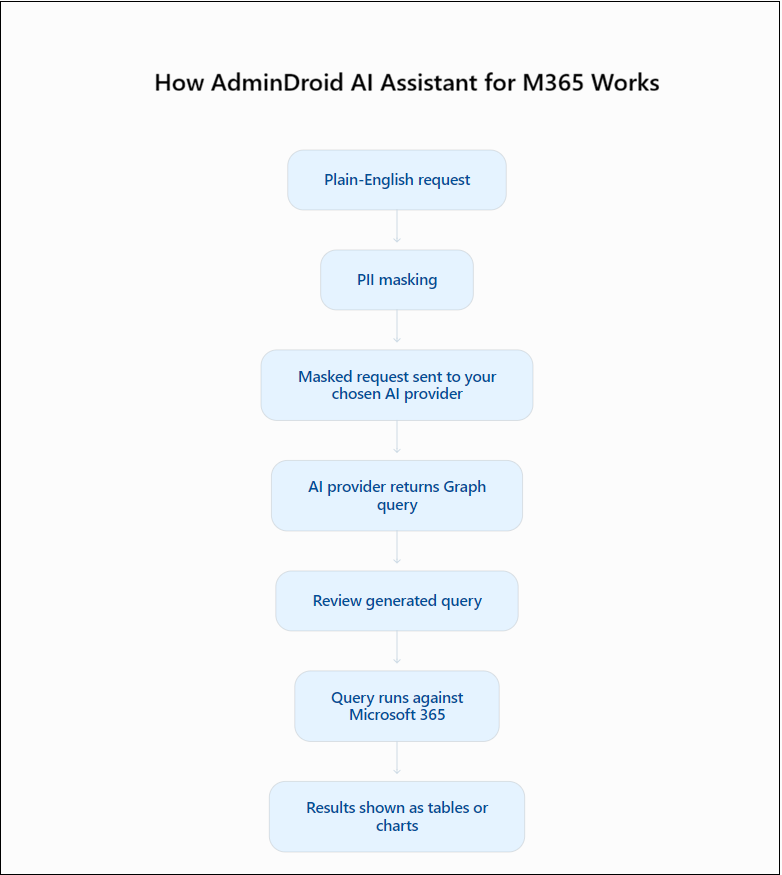
The important distinction is that the AI provider helps with understanding your request and generating the query. It doesn’t need to receive the Microsoft 365 results returned by your tenant. The same security-first approach followed in the AdminDroid AI Assistant for Active Directory too.
Additional Capabilities of the AdminDroid AI Assistant
The assistant also provides capabilities that make it easier to work with the results and adapt the tool to different environments.
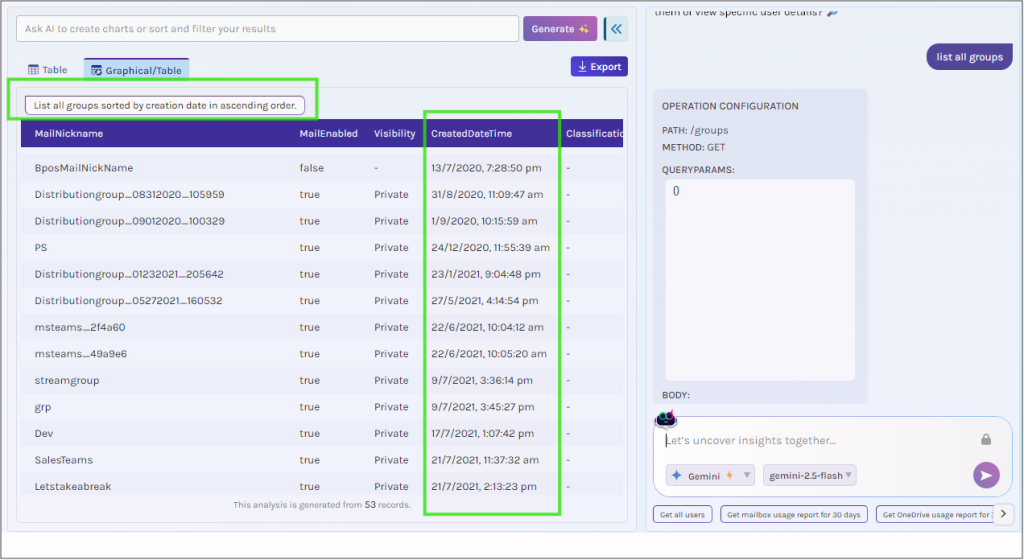
- Interactive data analysis: Generate granular reports or refine results by asking the assistant to filter and sort the data.
- Visualize data: Generate charts and graphs to get a clear, visual view of your data.
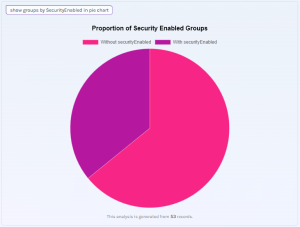
- Report and chart export: Export generated reports and charts in formats including CSV, Excel, HTML, PDF, PNG, and JPEG.
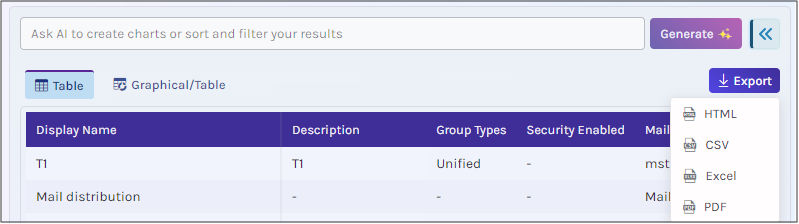
- Multiple tenants: Switch between connected Microsoft 365 tenants from the interface when working across different environments.
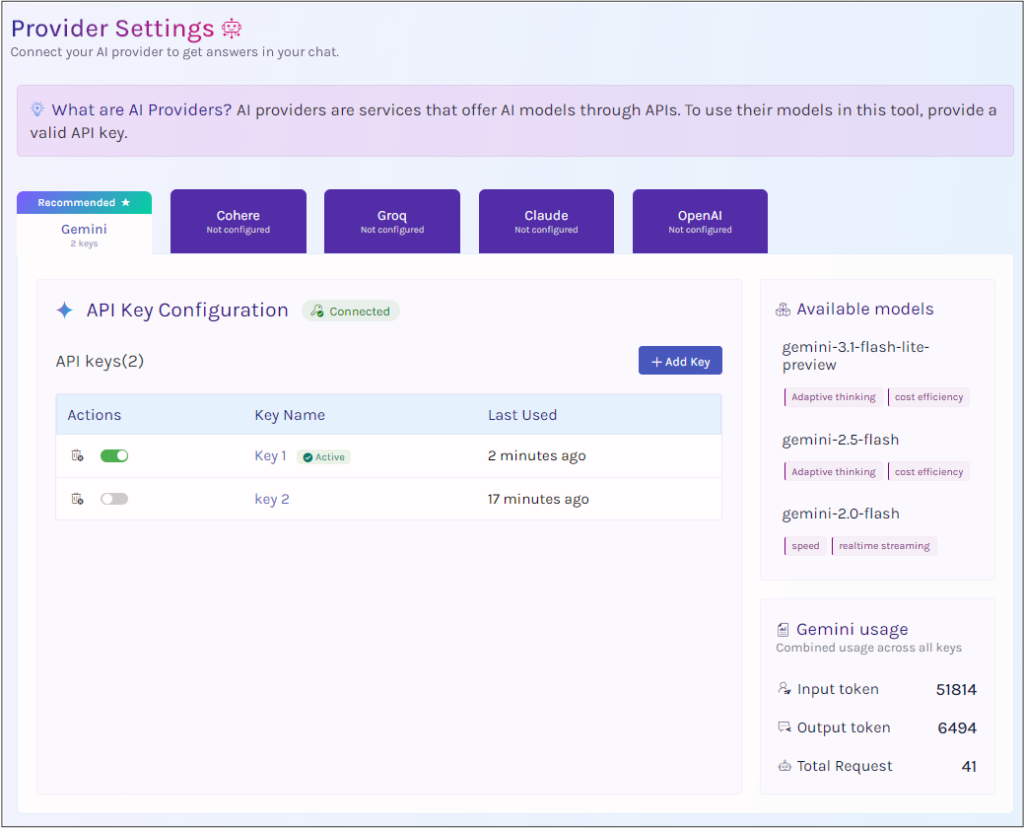
- Choice of AI provider: The assistant follows a bring-your-own-key model and supports Claude, ChatGPT, Gemini, Groq, and Cohere. You can choose or switch providers based on your requirements. Any API usage charges are determined by the selected provider.
AdminDroid AI Assistant: A Simpler Way to Manage Microsoft 365
If you’re an M365 admin who spends too much time switching between portals, remembering Graph syntax, or writing scripts for one-off requirements, the AdminDroid AI Assistant provides another way to handle those tasks.
Describe what you need –> Review what AI generates –> Confirm the action –> Get the result securely.
Explore and Download: AdminDroid AI Assistant for M365
The AdminDroid AI Assistant is source-available, with its source available through GitHub.
Have you tried AI for Microsoft 365 administration? Share your experience, use cases, or feedback in the comments below.