Admins often need to gather information across multiple sources when evaluating IT products, preparing a market briefing, or gathering background for a strategic decision. Comparing all those findings manually can take considerable time.
Microsoft Copilot Researcher can simplify this process by gathering, analyzing, and synthesizing information into a structured, source-cited report.
In this blog, you will explore what Copilot Researcher does, when to use it, how it compares with Copilot Chat and Analyst, how to get started & write better prompts, and what limitations to keep in mind.
What is Microsoft Copilot Researcher?
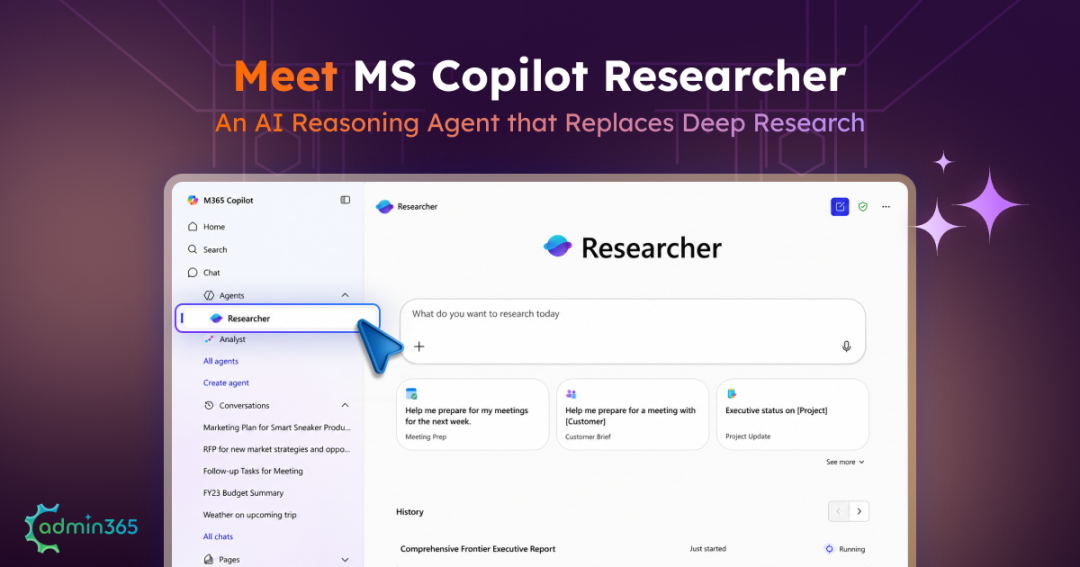
Researcher is a Microsoft-built reasoning agent in Microsoft Copilot designed for complex, multi-step research.
Instead of answering a question in a single response, Researcher can:
- Clarify the research objective
- Plan the research approach
- Gather information from multiple sources
- Analyze and compare findings
- Combine web and work data
- Produce a structured report
- Include source citations for verification
For work-related research, Researcher can use files, emails, meetings, and chats that the user has permission to access. It can also use connected external data sources when the appropriate Microsoft 365 Copilot connectors are configured.
This makes Researcher more suitable for in-depth research that requires information to be gathered and analyzed across multiple sources, rather than simple questions that can be answered directly.
For example, a request such as:
“Summarize this document.”
usually does not require Researcher. Standard Copilot Chat is faster for this type of task.
However, a request such as:
“Analyze the major competitors in our market, compare their recent product launches and pricing changes, and prepare a report using recent web sources and our internal sales information.”
is a better fit for Researcher.
The difference is not simply the length of the response. Microsoft Copilot Researcher is built for complex research tasks that require deeper investigation across multiple sources.
How Does Microsoft Copilot Researcher Work?
Researcher follows a multi-step process to turn a research request into a structured, cited report. It interprets the request, determines what information is needed, gathers relevant sources, analyzes the findings, and produces a cited report.
Here’s how the process works:
Understand the request → Clarify the scope → Plan the research → Gather information → Analyze and synthesize → Generate a cited report
1. Understand the request:
Researcher first interprets what you are asking and determines what information is needed to answer the request.
2. Clarify the scope:
For complex requests, Researcher may ask follow-up questions before beginning the research. Providing clear answers at this stage helps narrow the research and improve the relevance of the final report.
3. Plan the research:
Researcher determines how to approach the question and which sources or areas need to be investigated.
4. Gather information:
Researcher can gather information from the web and from Microsoft 365 work content that the user has permission to access, depending on the request and available configuration.
This includes emails, files, meetings, chats, and other resources available to the user.
Researcher can also use external information through supported Microsoft 365 Copilot connectors when they are configured.
5. Analyze and synthesize:
Researcher analyzes, compares, and combines the information it finds rather than simply returning a list of search results.
Importantly, Researcher does not bypass the user’s existing permissions. If a user cannot access a file or email, Researcher does not grant access to it simply because the user asks for it.
However, Researcher also does not correct existing permission problems. If a user already has access to information that should have been restricted may still be available to Researcher if the user already has access to it.
6. Generate the report:
After completing its research and analysis, Researcher presents the findings as a structured report with citations. Users can review the sources, edit the report, and share the results.
Because Researcher performs multiple research and reasoning steps, it generally takes longer than a standard Copilot Chat response. Microsoft says simple requests can take less than five minutes, while highly complex requests can take 10–45 minutes.
Getting Started with Microsoft Copilot Researcher
Researcher agent is available to Microsoft 365 Premium subscribers, Microsoft 365 business, and enterprise users with a Microsoft Copilot add-on license.
How to Start a Research Task
Once Researcher is available in your Microsoft Copilot experience:
- Open the Microsoft Copilot app.
- Go to Agents.
- Select Researcher and enter your research question.
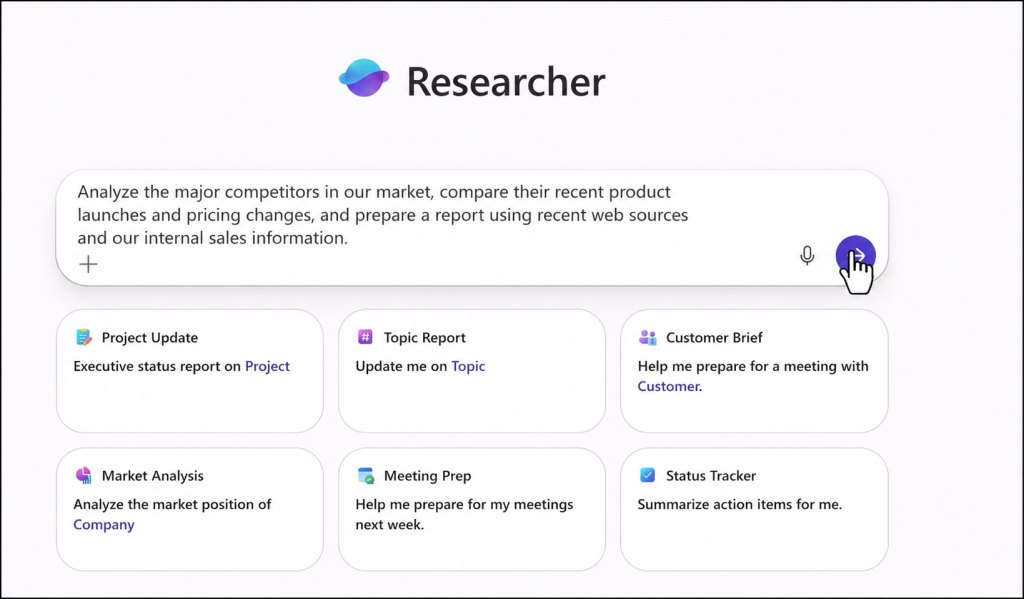
- Review and answer any clarifying questions. Let Researcher gather and analyze the information.
- Review the final report and its citations.
- Edit, share, or use the report as needed.
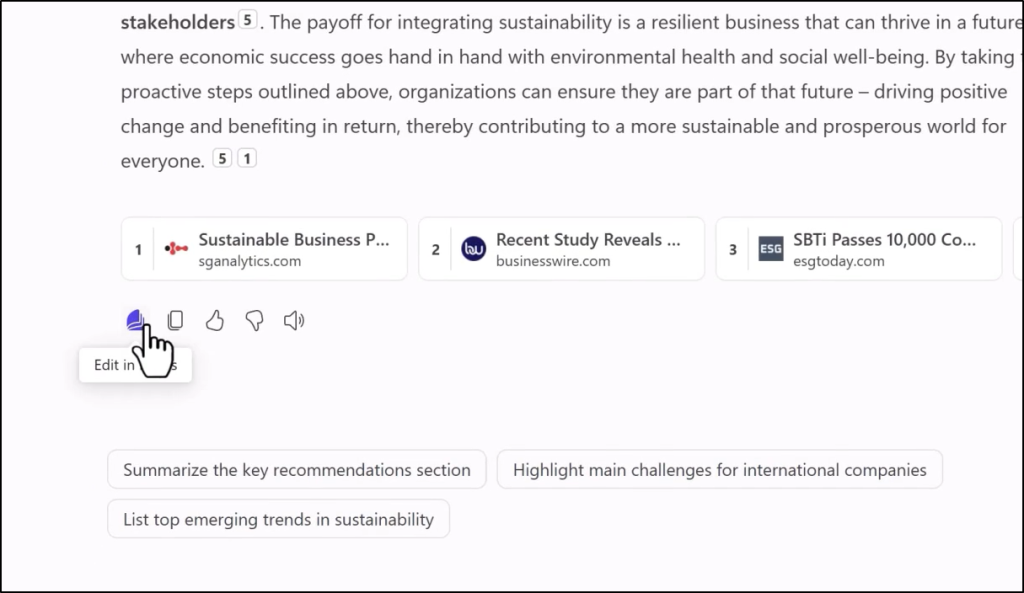
Note: You can also invoke Researcher using @Researcher in a Copilot chat.
How to Write Better Microsoft Copilot Researcher Prompts
The quality of the research request can affect how useful the final report is. Instead of giving Researcher a broad instruction, provide enough context to define what you need.
A useful prompt should specify:
- Objective: What do you want to find out?
- Scope: What topics, companies, products, or time period should be covered?
- Sources: Which sources should be prioritized?
- Audience: Who will use the report?
- Comparison: What should be compared or evaluated?
- Output: What should the final report look like?
For example, instead of:
“Research Company X.”
Try:
“Prepare a competitor briefing on Company X for our sales leadership team. Cover its pricing changes, product launches, and positioning over the past 12 months. Use recent web sources and our internal sales notes. Compare its positioning with ours and summarize the main risks and opportunities.”
The second prompt gives Researcher a clear objective, scope, source preference, audience, comparison criteria, and expected outcome.
Which AI Models Does Researcher Support?
Researcher supports models from both OpenAI and Anthropic. Admins must allow access to Anthropic models before users can use Claude AI in Researcher.
Microsoft also provides multi-model capabilities that let Researcher use different reasoning approaches:
| Model or capability | What it does |
| GPT | Generates the research report using a GPT model. |
| Claude | Uses an Anthropic model when enabled by the administrator. |
| Critique | Uses a second reasoning pass to review and refine a GPT-generated report, with Claude used for the review when Anthropic access is enabled. |
| Model Council | Runs the same research question through multiple deep-reasoning research agents and compares their results to identify areas of agreement and difference. |
Some newer multi-model capabilities are associated with Microsoft’s Frontier program and may have different availability from the standard Researcher experience.
When Should Use Copilot Researcher?
Researcher is particularly useful when the information needed to answer a question is spread across multiple sources. Common use cases include:
- Competitive research: Compare competitors, products, pricing changes, launches, positioning, and recent developments.
- Market research: Investigate market trends, opportunities, and industry developments using external and organizational information.
- Sales and customer research: Prepare customer or prospect briefings by combining relevant internal information with external research.
- Strategy and business analysis: Gather evidence about opportunities, risks, market changes, and competitive implications.
- Business and project reports: Bring together work information and external research into structured reports for reviews, planning, or presentations.
Microsoft highlights similar use cases, including go-to-market strategy, identifying whitespace opportunities, quarterly reports, vendor negotiations, and client research.
Compare Researcher vs. Copilot Chat vs. Analyst
Microsoft Copilot offers different experiences for different types of work. Copilot Chat is suited to quick, everyday tasks, Researcher is built for multi-source research, and Analyst focuses on data and quantitative analysis.
| Copilot Chat | Researcher | Analyst | |
| Best for | Quick questions and everyday tasks | Complex research across multiple sources | Data and quantitative analysis |
| Typical input | Conversations, documents, individual sources | Web, work content, documents, connected sources | Spreadsheets and structured data |
| Output | Conversational answer | Structured research report | Data analysis and insights |
| Main strength | Speed | Multi-source research | Quantitative reasoning |
Use Copilot Chat for: Quick answers, document summaries, drafting, brainstorming, or tasks where the required information is already available in one source.
Researcher is best for: When information is spread across multiple sources, you need web research, or the task requires comparing evidence and producing a structured report.
Important: Microsoft currently limits Researcher to 25 queries per user per month.
When to use Analyst: Use it when the main source material is numerical or spreadsheet-based and you need deeper data analysis.
In short, choosing the right Copilot experience helps you get the right level of insight without adding unnecessary effort.
How to Manage Researcher in Microsoft 365
Researcher is part of the Microsoft Copilot experience for licensed users, so admins should understand how its availability, data sources, and AI models can be governed.
- Control Researcher Availability: Admins can manage Researcher from the Agents section of the Microsoft 365 admin center and specifically block the agent when required.
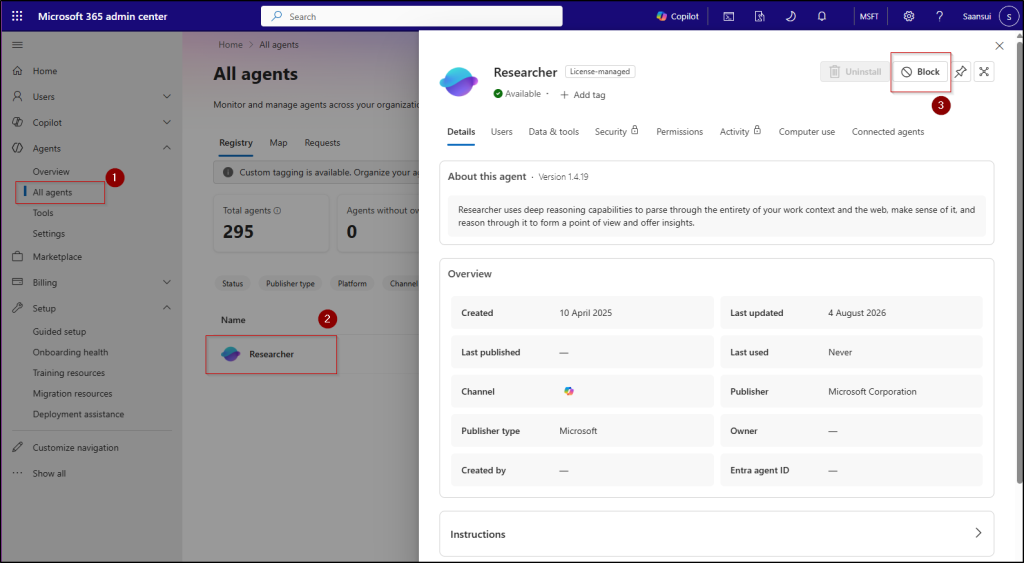
Important: Disabling Copilot agents alone does not remove Researcher from Copilot Chat. This distinction is important when defining Copilot governance policies.
- Manage Web Search and AI Models: Researcher can use web information when web search is enabled. Microsoft currently provides a tenant-level web search control rather than a Researcher-specific website allow/block list.
Admins should consider how this setting aligns with their organization’s information-governance requirements.
- Understand Researcher Visibility: As per Microsoft, there is no dedicated usage dashboard for Researcher and Analyst. Admins can view usage metrics, but Researcher session content is not directly accessible to admins or compliance tools by default.
Organizations should consider this when defining their Copilot monitoring and governance strategy.
- Researcher with Computer Use: Researcher extended with Computer Use, part of Microsoft’s Frontier program. It allows Researcher to interact with websites and applications in a secure virtual environment, similar to the broader computer-use capabilities introduced with Project Opal.
With Computer Use, Researcher can go beyond retrieving information and interact with websites. This makes runtime protection important when AI agents access external websites.
Current Limitations of Microsoft Copilot Researcher Agent
Researcher agent continues to evolve, and some capabilities are still being developed. The key limitations to keep in mind are:
- No image input: Researcher currently cannot process images as input.
- Limited customization: Organizations cannot currently customize the built-in Researcher agent through Copilot Studio.
- No memory: Researcher does not currently retain memory across research tasks.
- No report-length controls: Users cannot set a dedicated report length or level-of-detail setting.
Microsoft continues to expand Researcher, so admins should verify the latest capabilities and availability before building workflows around specific features.
Frequently Asked Questions
- Is Researcher the same as Deep Research?
Not exactly. Researcher and Deep Research were separate experiences with similar purposes. Microsoft retired Deep Research from the consumer Copilot app on August 18, 2026, while Researcher remains Microsoft’s in-depth research experience for Microsoft 365 Copilot.
- Is Researcher available to all Microsoft 365 users?
Researcher is available to Microsoft 365 business and enterprise users with a Microsoft Copilot add-on license. Microsoft 365 Premium subscribers can also use Researcher.
- Does Researcher access users’ emails and files?
It can use work content that the user has permission to access, including files, emails, meetings, and chats.
- Does Researcher bypass Microsoft 365 permissions?
No. Researcher works within the user’s existing access permissions.
- Can Microsoft 365 admins disable Researcher?
Yes. Admins can specifically block Researcher and Analyst. Disabling Copilot agents alone does not remove Researcher from the core Copilot experience.
- How long does Researcher take to process a query?
Microsoft says simple requests can take less than five minutes, while highly complex research can take 10–45 minutes.
- Can Researcher create PowerPoint or PDF files?
Microsoft currently lists direct PowerPoint and PDF generation as a capability that is still being released. Availability can vary by tenant.
- Can Researcher analyze spreadsheets?
Researcher can work with information in Microsoft 365, but Analyst is the better choice for spreadsheet-focused and quantitative analysis tasks.
A Final Note
Microsoft Copilot Researcher built for complex research tasks that require deeper investigation across multiple sources and a structured, cited report.
For quick questions and everyday tasks, admins can use Copilot Chat is usually the better choice, while Analyst is better suited to spreadsheet-heavy and quantitative analysis. Choosing the right experience based on the task can help make Copilot more effective.
For admins, managing access is only part of the picture. Monitoring Copilot prompts for compliance can also help maintain visibility into how these AI capabilities are being used.
We hope this guide helps you understand Microsoft Copilot Researcher and choose the right Copilot experience for your research needs.