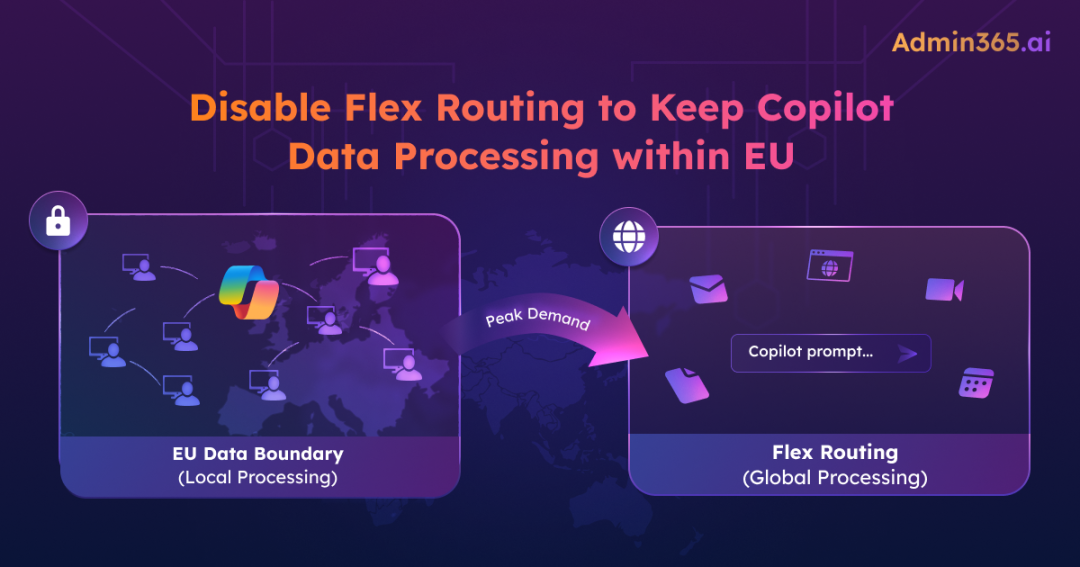
When using Microsoft Copilot, organizations expect a balance between performance and data control. Features like the EU Data Boundary are designed to keep data within specific regions. In real-world usage, especially during peak demand, this isn’t always the case.
To address performance during high demand, Microsoft introduced Flex routing. It allows Copilot to temporarily process requests outside the EU region. While this helps maintain a consistent experience, it also raises important questions around data processing and security.
Before deciding whether this trade-off is acceptable, it’s important to understand how flex routing works and what data actually crosses the boundary.
What is Flex Routing?
Flex routing is a setting that allows Microsoft to process Copilot requests outside the EU region during periods of high demand. This processing may take place in data centers located in regions such as the United States, Canada, or Australia.
For tenants created after March 25, 2026, this setting is enabled by default. For existing tenants in the EU and EFTA regions, it will become the default starting April 17.
What Data Actually Leaves the EU When Flex Routing Activated?
You might assume that when data is processed outside the EU, it only involves the prompt you typed. In reality, it’s more than that.
By the time a Copilot request is processed, it is no longer just a question. It typically includes context retrieved through retrieval-augmented generation (RAG) and Microsoft Work IQ, which may pull in relevant information from your Microsoft 365 tenant —such as emails, meeting notes, SharePoint and OneDrive files, Teams messages, and metadata about who shared what, when, and with whom.
When flex routing is triggered during peak demand, this entire request payload, including the retrieved context, may be processed outside the EU Data Boundary.
To address security concerns, Microsoft provides a few key assurances:
- Data is encrypted both in transit and at rest
- Data at rest remains within the EU Data Boundary
- “Limited pseudonymized data” may be stored outside the EU for security and operational purposes
However, Microsoft does not provide a detailed breakdown of what is included in “pseudonymized data.”
If your compliance framework does not distinguish between processing and storage locations, flex routing may create exposure when triggered. In such cases, administrators should review the current flex routing setting and determine whether it aligns with their compliance requirements.
How to Check and Disable Copilot Flex Routing
The setting is available in the Microsoft 365 admin center. You need the AI Administrator role to access it.
- Sign in to the Microsoft 365 admin center –> Copilot –> Settings –> View all
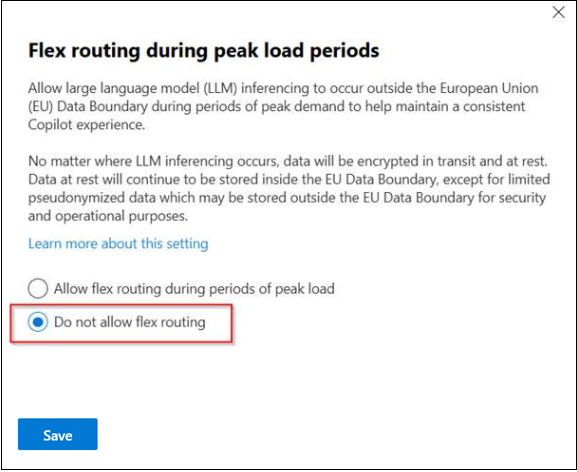
- Click “Flexible inferencing during peak load periods”
- Review or change the state:
- If “Allow flex routing during periods of peak load” is selected, Copilot prompts may be processed outside the EU during peak demand.
- To disable flex routing, select “Do not allow flex routing”. This ensures all Copilot processing remains within the EU boundary, even during peak load conditions.
Key Considerations:
- Power Platform control: The Power Platform admin center has its own setting for flex routing, which applies to Dynamics 365, Power Platform, and Copilot Studio. Microsoft 365 acts as parent. If disabled in M365, it’s disabled in Power Platform. If enabled, Power Platform can still restrict it.
- Region availability: Only available for EU and EFTA tenants.
- Multi-geo tenants: The setting is not available for multi-geo tenants.
What Happens if you Disable Copilot Flex Routing?
Disabling flex routing comes with a trade-off: Performance.
During peak periods, Copilot responses may become slower or less available. Microsoft hasn’t published specific latency data for this scenario, so the exact impact is unclear.
Another Setting You Should Review
Flex routing isn’t the only default change for EU tenants. On May 4, 2026 (MC1269241), Anthropic models become the default for Copilot in Word, Excel, and PowerPoint.
The compliance concern is similar, but the behavior is different. flex routing may send data outside the EU during peak demand, while Anthropic models are not covered by the EU Data Boundary. When these models are used, data processing can occur outside the EU regardless of demand.
Final Thoughts: Don’t Let Defaults Become Audit Findings
If your organization operates under strict data residency requirements, disable both settings. If your compliance posture allows transient processing outside the EU with encryption guarantees, the default may be acceptable. Either way, check both settings today.
Don’t rely on defaults. Review both settings and align them with your data residency requirements.